

You open a text from a friend and see a gray notice: “Downloading MMS.” Or maybe your phone plan mentions “unlimited SMS and MMS” and you’ve never really known what the second part means. Either way, you’re not alone in wondering.
The short version of the MMS meaning in text is simple. MMS stands for Multimedia Messaging Service. It’s the technology that lets your phone send pictures, videos, audio clips, and longer messages through regular text messaging.
That’s the quick answer. The rest of this guide covers what actually happens when you send an MMS, how it differs from SMS, what it looks like on iPhone and Android, and why a text sometimes turns into an MMS without you doing anything.
What Does MMS Mean in Text?
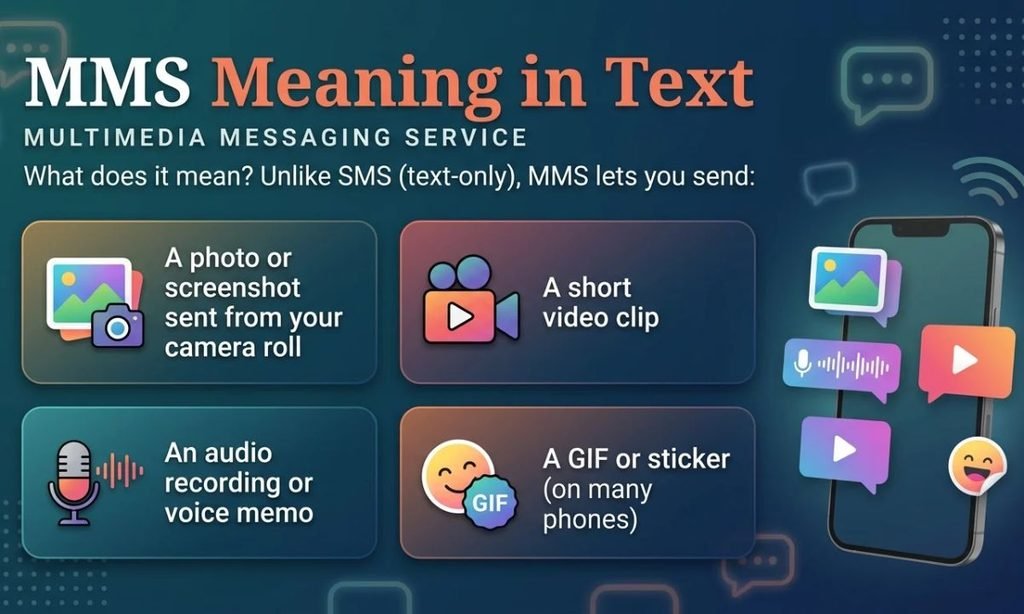
MMS stands for Multimedia Messaging Service. When someone asks what does MMS mean in text messages, this is the full answer: it’s a standard that extends basic texting so you can include media files, not just plain words. A few things count as an MMS:
- A photo or screenshot sent from your camera roll
- A short video clip
- An audio recording or voice memo
- A GIF or sticker (on many phones)
- A message with a subject line
- A very long text that goes past normal length limits
- A group text sent to several people at once, on many setups
The name sounds technical, but you’ve probably sent hundreds of MMS messages without thinking about it. Every time you texted a picture of your dinner to a friend with a non-iPhone, or shared a vacation video in a group chat, that was likely an MMS.
MMS Full Meaning in Text
Here’s the full breakdown, word by word:
- Multimedia: more than one type of content, like text, images, audio, and video
- Messaging: sending content from one person to another
- Service: the carrier-based system that makes it happen over cellular networks
That last word matters. MMS isn’t an app. It’s a service your mobile carrier provides, which is why it depends on your plan and your signal.
Quick Definition You Can Copy
MMS is a text messaging format that lets you send photos, videos, audio, and longer messages through your phone carrier instead of just plain text.
SMS vs. MMS: What’s the Difference?
You’ll often see the two terms side by side, as in “SMS/MMS messaging” or “unlimited SMS and MMS.” So let’s clear up the SMS MMS meaning once and for all.
SMS stands for Short Message Service. It’s the original text message, limited to plain text and roughly 160 characters per message. Longer texts get chopped into pieces and stitched back together on the other end.
MMS is the upgraded version. It still travels through your carrier, but it can carry pictures, video, sound, and much more text.
| Feature | SMS | MMS |
| Full name | Short Message Service | Multimedia Messaging Service |
| What it sends | Plain text only | Text, photos, video, audio, GIFs |
| Length | About 160 characters per message | Much longer; limited by file size |
| Subject line | No | Yes, optional |
| Needs mobile data | Usually no | Usually yes |
| Typical use | Quick text, codes, alerts | Sharing pictures, videos, group chats |
| Introduced | Early 1990s | Early 2000s |
Think of SMS as a postcard and MMS as a padded envelope. Both get delivered, but one can carry a lot more.
Why the Terms Get Mixed Up
Most people never see the difference, because modern phones switch between the two automatically. You type a sentence and hit send. That’s SMS. You attach a photo and hit send. Your phone quietly converts it into an MMS. The app looks the same either way, so the label only shows up when something goes wrong or when you read your plan details.
What Is MMS in a Text Message in Real Life?
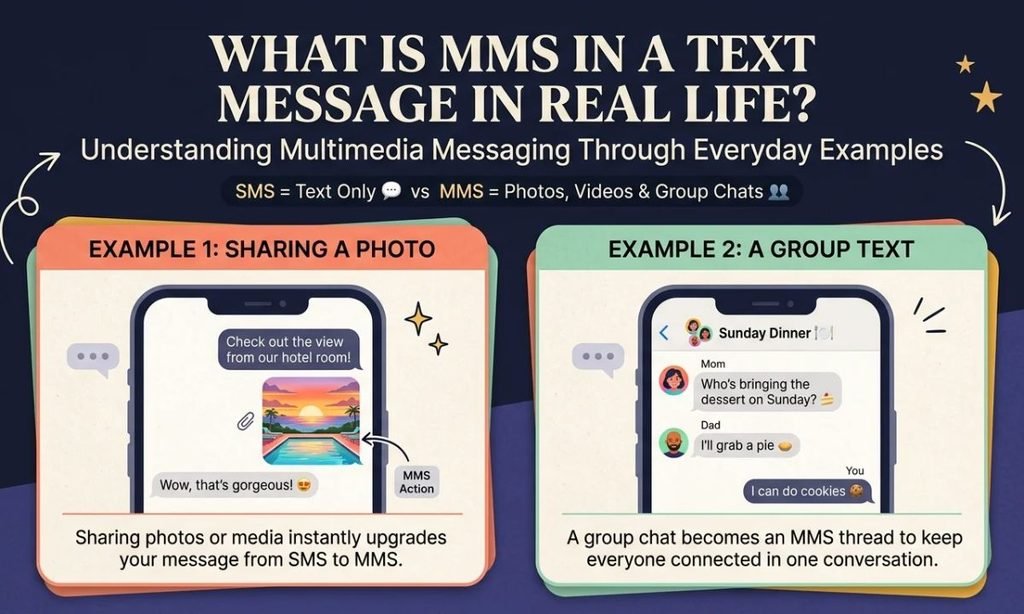
Here’s what an MMS looks like in everyday use. These examples show the typical situations where you’d run into one.
Example 1: Sharing a photo
You: Check out the view from our hotel room
(attaches photo)
Friend: Wow, that’s gorgeous!
That photo went out as an MMS, even though neither of you saw the word.
Example 2: A group text
Mom: Who’s bringing the dessert on Sunday?
Dad: I’ll grab a pie
You: I can do cookies
Depending on the phones involved, this group thread might run as a group MMS.
Example 3: A very long message
If you paste a big paragraph into a standard text, some phones convert it to MMS rather than splitting it into several SMS pieces.
Example 4: The error nobody likes
“Message not sent. Unable to send MMS.”
We’ll fix that further down.
How MMS Works Behind the Scenes
You don’t need to know the technical side to use MMS, but a basic picture helps when troubleshooting.
When you send a photo by text, your phone compresses the file, wraps it in a special message format, and sends it over your carrier’s cellular data connection to a server called an MMS center. That server delivers it to the recipient’s phone. The recipient’s phone then downloads the media.
That’s why:
- You need mobile data turned on for most MMS messages
- Pictures sometimes arrive blurry, since they’re compressed to fit size limits
- Messages can arrive a few seconds slower than plain text
File Size Limits
Carriers cap how large an MMS can be. The limit varies, but it’s usually somewhere around 1 to 3 MB for a single message. That’s why a long video often won’t send as a regular text. Your phone may shrink it, trim it, or simply fail.
If you’re sending something big, a cloud link or a dedicated app usually works better.
MMS Meaning in Text on iPhone
If you use an iPhone, you may have noticed that some messages show up as blue bubbles and others as green. This is where people get confused.
- Blue bubbles are iMessages, Apple’s own system, which runs over the internet and works between Apple devices.
- Green bubbles are regular carrier texts, meaning SMS or MMS.
So if you’re wondering what does MMS mean in texting on an iPhone, the answer is this: an MMS is a green-bubble message that includes media, like a photo sent to someone without an Apple device.
How to Turn MMS On or Off on iPhone
On an iPhone, the setting lives in the Messages options:
- Open Settings.
- Tap Messages.
- Scroll to the SMS/MMS section.
- Toggle MMS Messaging on.
Apple has a helpful page explaining why iPhone messages are green, including the most common reasons it happens, like the other person not having an Apple device or iMessage being turned off.
So if you’re wondering what does MMS mean in texting on an iPhone, the answer is this: an MMS is a green-bubble message that includes media, like a photo sent to someone without an Apple device.
What About RCS?
Apple has also added support for RCS, a newer standard that gives green-bubble chats features like higher-quality photos and typing indicators. When it’s available between two phones, it can replace MMS for many conversations. The MMS meaning in text hasn’t changed, but you may see it less often as RCS spreads.
MMS Meaning in Text on Android and Samsung
Android phones treat MMS a bit differently because there’s no iMessage-style system in the mix. Almost every text with media from an Android phone has historically been an MMS.
On Android, the Google Messages app now uses RCS when both people have it turned on. When RCS isn’t available, the app falls back to MMS and SMS.
If you want to know what does MMS mean in text on Samsung phones, it’s the same thing, just inside Samsung’s own Messages app or Google’s. The label may appear as “MMS” in the send button or in the message details.
How to Check MMS Settings on Android
- Open your messaging app.
- Tap the three-dot menu, then Settings.
- Look for Advanced or Chat features.
- Make sure Auto-download MMS is on if you want pictures to load automatically.
Exact menus differ by phone brand, but the setting is usually easy to find.
Is MMS Slang? MMS Meaning on Snapchat, Instagram, and TikTok
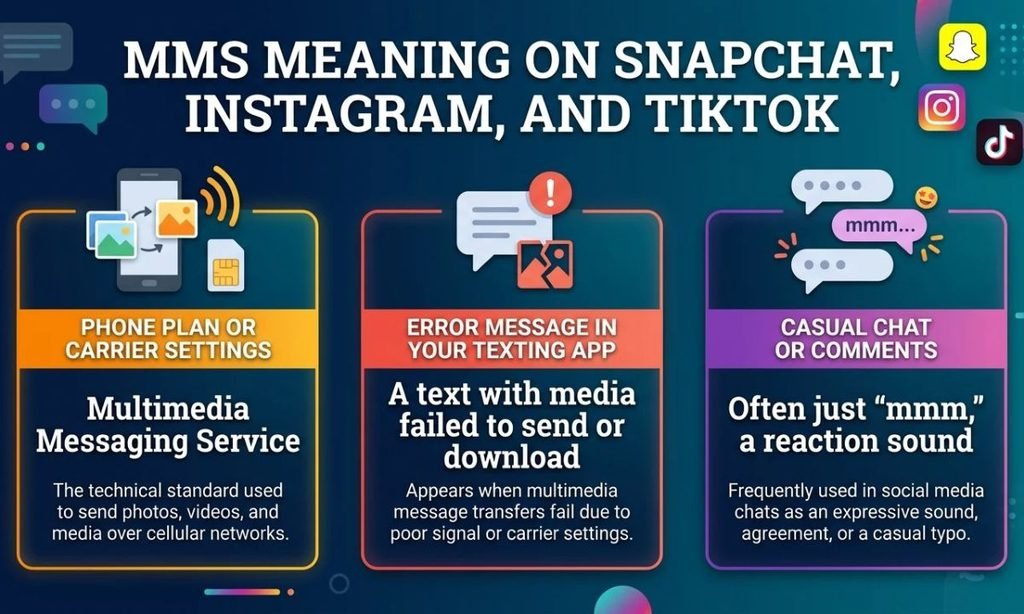
Here’s a point that trips up a lot of searchers. People often type “MMS meaning in text slang” expecting a hidden code like LOL or SMH. In reality, MMS isn’t true internet slang. It’s a technical term for a messaging format.
So what about social apps?
MMS Meaning in Text on Snapchat
Snapchat has its own messaging system. Snaps and chats don’t travel through MMS at all. If you see “MMS” in connection with Snapchat, it usually refers to someone sending a picture by regular text instead of through the app.
MMS Meaning Slang on Instagram and TikTok
On Instagram and TikTok, there’s no widely recognized slang meaning for MMS. Direct messages on those platforms run through their own apps and servers, not through your phone carrier.
Occasionally, someone may type “mms” as a stand-in for the sound “mmm” or “mm-hmm,” the way you’d hum in agreement. Context makes that obvious. If the person is clearly reacting to something rather than sending a file, they probably mean a casual “mmm.”
| Where you see it | What it usually means |
| Phone plan or carrier settings | Multimedia Messaging Service |
| Error message in your texting app | A text with media failed to send or download |
| Casual chat or comments | Often just “mmm,” a reaction sound |
| Snapchat, Instagram, TikTok | No standard slang meaning; usually refers to regular texts with media |
Common Text Message Acronyms Compared
Because people search for MMS alongside other messaging terms, here’s a quick table to keep them straight.
| Acronym | Meaning | Common Use | Tone |
| SMS | Short Message Service | Plain texts, verification codes | Neutral |
| MMS | Multimedia Messaging Service | Photos, videos, group texts | Neutral |
| RCS | Rich Communication Services | Modern chat features over data | Neutral |
| iMessage | Apple’s messaging service | Chats between Apple devices | Neutral |
| DM | Direct message | Private chats on social apps | Casual |
| GC | Group chat | Group conversations | Casual |
Notice that every item in the table is a type of messaging. MMS belongs to the technical side of that list, not the slang side. If you like decoding texting shorthand, our guide to the FTM meaning and full form is another acronym worth knowing. .
Does MMS Cost Extra?
In the past, carriers charged per picture message, and that’s where the term first became familiar to many people. Today, most major U.S. plans include unlimited texting, and that usually covers MMS too.
Still, a few situations are worth checking:
- Prepaid or limited plans may cap picture messages or charge for them.
- Roaming or international use can bring extra fees or block MMS entirely.
- Mobile data usage is consumed whenever you download an MMS, so a tight data plan can feel the effect.
If you’re unsure, look at your plan details or ask your carrier directly.
Why Your MMS Isn’t Working (and How to Fix It)
When MMS fails, the symptoms are usually obvious: pictures won’t send, group texts break, or you see a “Downloading” notice that never finishes. Try these fixes in order.
- Turn on mobile data. Most MMS messages need it, even when you’re connected to Wi-Fi.
- Check your signal. Weak coverage often blocks media downloads.
- Confirm MMS is enabled. Look in your messaging settings.
- Restart your phone. It sounds basic, but it clears many temporary glitches.
- Reset network settings. This can refresh your carrier connection, though it also clears saved Wi-Fi networks.
- Update your phone’s software. Old versions sometimes have bugs with messaging.
- Check your plan. Make sure your account is active and MMS isn’t blocked.
- Contact your carrier. If nothing works, they can reset your MMS configuration on their end.
When a Picture Looks Blurry
Blurry photos are almost always the result of compression. Carriers shrink images to meet size limits. If quality matters, use a messaging app that sends full-resolution files, or share a link through a cloud service.
Pros and Cons of MMS
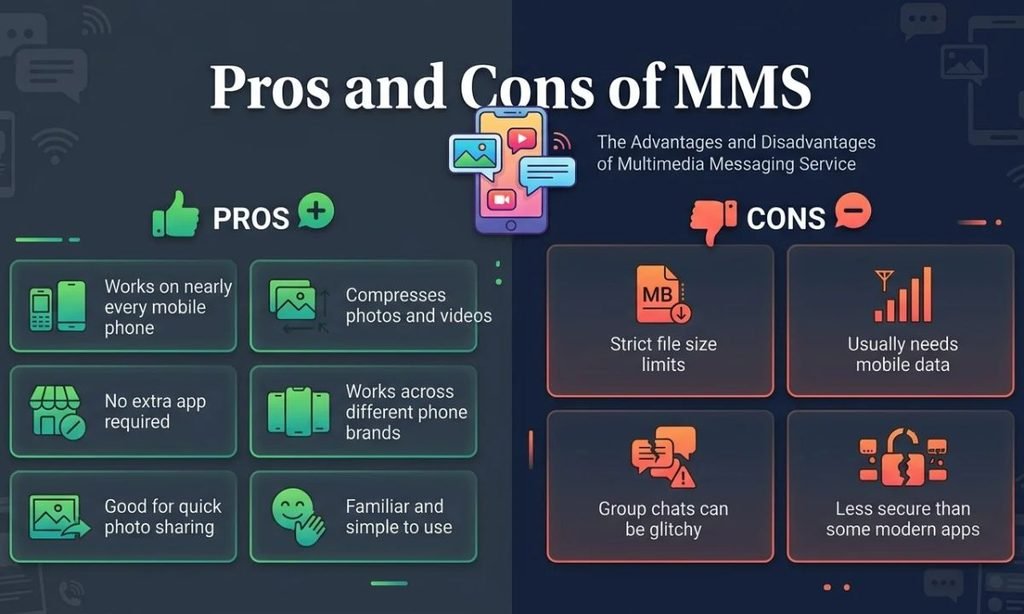
MMS isn’t perfect, and it’s not always the best choice. Here’s a fair look.
| Pros | Cons |
| Works on nearly every mobile phone | Compresses photos and videos |
| No extra app required | Strict file size limits |
| Works across different phone brands | Usually needs mobile data |
| Good for quick photo sharing | Group chats can be glitchy |
| Familiar and simple to use | Less secure than some modern apps |
On security, standard MMS and SMS aren’t end-to-end encrypted, so avoid sending sensitive details like passwords or financial information through them.
When to Use MMS and When to Choose Something Else
Use MMS when:
- You’re sharing a quick photo or short clip with someone on a different type of phone
- You don’t want to install another app
- The other person isn’t on iMessage, WhatsApp, or a similar service
Consider other options when:
- The file is large or high quality
- You need privacy or encryption
- You’re messaging internationally
- You’re in a group with mixed devices and keep hitting delivery problems
Apps like WhatsApp, Signal, and Telegram, along with cloud links from Google Photos or iCloud, usually handle big or sensitive files better.
Putting It All Together
The MMS meaning in text comes down to one idea: it’s the version of texting that can carry more than words. Multimedia Messaging Service lets your phone send pictures, video, audio, and longer messages through your carrier, and it quietly kicks in whenever your text needs more room than plain SMS allows.
It isn’t slang, and it isn’t an app. It’s the technology working behind a green bubble or a gray “downloading” notice. Once you know that, those everyday texting hiccups make a lot more sense, and fixing them gets a lot easier.
Next time your phone says it’s sending an MMS, you’ll know exactly what’s going on: your photo is on its way.
FAQs
What does MMS mean in text?
MMS stands for Multimedia Messaging Service. It lets you send photos, videos, audio clips, and longer messages through regular text messaging.
What does MMS stand for in texting?
In texting, MMS stands for Multimedia Messaging Service. It’s the carrier-based system behind picture and video texts.
What is the difference between SMS and MMS?
SMS sends plain text only, usually up to about 160 characters per message. MMS can carry images, video, audio, and much longer messages.
Is MMS the same as iMessage?
No. iMessage is Apple’s internet-based service and shows blue bubbles between Apple devices. MMS runs through your carrier and appears as a green bubble.
Why did my text turn into an MMS?
Your phone converts a text to MMS when you add a photo, video, subject line, or a very long message. In many cases, group texts also go out as MMS.
Does MMS need Wi-Fi or mobile data?
On most phones, MMS needs mobile data turned on to send and download media. Wi-Fi alone often isn’t enough, though some carriers handle this differently.
Does MMS cost extra?
Most major U.S. plans with unlimited texting include MMS at no extra charge. Prepaid plans, limited plans, and roaming may add fees or limits.
Why are my pictures blurry when I send an MMS?
Carriers compress media to meet MMS file size limits, usually around 1 to 3 MB. For sharper photos, send a cloud link or use a messaging app.
Why is my MMS not sending or downloading?
Check that mobile data is on, your signal is strong, and MMS messaging is enabled in settings. Restarting your phone or contacting your carrier often fixes the problem.
How do I turn on MMS messaging on iPhone?
Go to Settings, tap Messages, and switch on MMS Messaging. If you don’t see the option, your carrier or plan may not support it.
What does MMS mean on Snapchat, Instagram, or TikTok?
MMS has no standard slang meaning on these apps. They use their own messaging systems, so MMS usually just refers to a regular text with media.
Is MMS being replaced by RCS?
RCS is gradually replacing MMS on many phones, adding higher-quality media and typing indicators. MMS still works as a fallback when RCS isn’t available.
